Keep the record useful.
Bring client details, current status and the next agreed action together without losing the reason behind the work.
Generoy brings role plans, owner decisions and approved operating context into one calm workspace—so your team can see what matters, decide clearly and prepare the next step without hidden automation.
This is the current Generoy workspace direction: a local guide, the owner’s next decision and a visible control boundary on the same screen.
What this does not show: customer records, credentials, raw Mnemonica context or a live external connection.
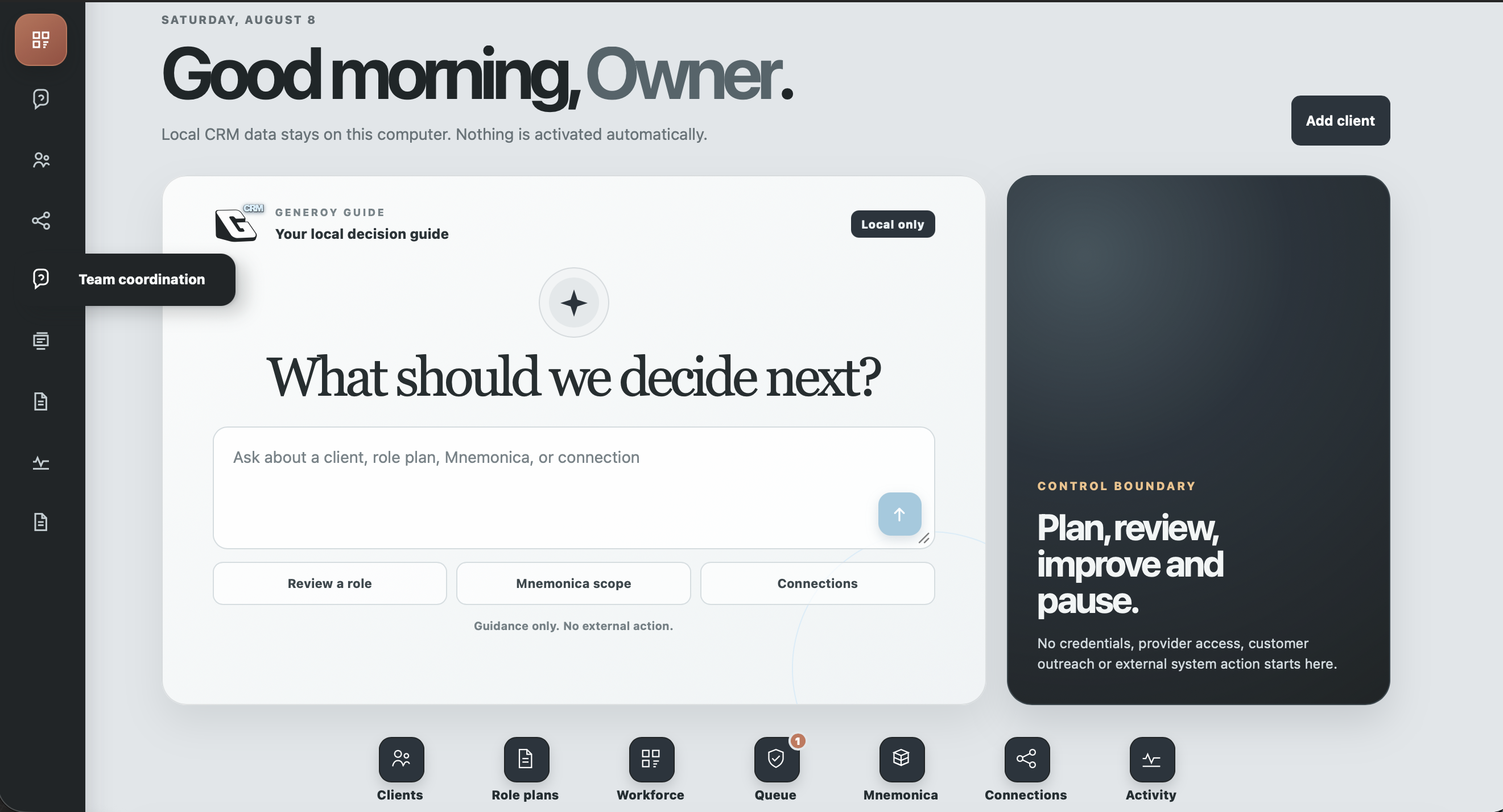
Generoy is introduced with the managed ATACSYS service. It is not a public self-serve tool, and it does not turn on connections or send work outside your business by itself.
Bring client details, current status and the next agreed action together without losing the reason behind the work.
Define the outcome, inputs, limits and approval points for each digital employee before work begins.
Separate recommendations from decisions so important changes wait for the right person.
Request a defined memory scope with purpose and expiry. Restricted material is not treated like ordinary CRM notes.
Follow the agreed work, reviews and handoffs in one operational view instead of scattered messages.
Use plain language to understand the relevant screen or review. Generoy guides; it does not act on your behalf.
Generoy can document a proposed scope for systems already used by your team. The role, purpose and access boundary are reviewed first; no public page or reference screen creates a connection.
Connection rule: no external system is contacted automatically. The owner decides what may be connected and what still requires a human review.

 SSlack
Stripe
Zapier
Apple
Silicon
SSlack
Stripe
Zapier
Apple
Silicon
These examples show how Generoy keeps a business task readable. The interface can be configured around the role and process agreed with your team.
Prepare a client record, clarify the request and create a review-ready brief for the next person.
Review a role plan, a Mnemonica request or a proposed connection without hiding the boundary.
Ask where to continue, what is waiting for review or how a connection should be scoped.
Use Generoy to prepare client work, organize a role plan, surface operational checks and keep human decisions visible. ATACSYS helps define what belongs in the workspace before it is configured.